Club & Cohort Management
Clubs (also called Cohorts) are structured groups or programs within your organization that members can join. Whether you run a youth basketball league, an advanced piano class, or a summer dance intensive, clubs let you organize participants, schedule sessions, track attendance, and communicate with members -- all from one place.
Clubs vs. Cohorts -- What's the Difference?
They are the same feature with different terminology depending on your organization type:
| Organization Type | What You See |
|---|---|
| Schools and educational institutions | "Clubs" |
| Other organizations (studios, sports clubs, etc.) | "Cohorts" |
Throughout this guide, we use "club" as the primary term. Everything applies equally to cohorts.
Key Concepts
Understanding a few core concepts will help you get the most out of club management in FeatsClub:
- Club -- The program itself. A club has a title, description, category, level, start and end dates, rules, criteria, and media. Examples: "Junior Basketball Club", "Advanced Piano Class", "Summer Dance Cohort".
- Schedule -- Recurring sessions or classes within a club. Each schedule entry represents a specific day, time, and location where the club meets.
- Members -- The participants enrolled in your club. Members can be added manually or can join through your organization's public profile.
- Officers -- The instructors, coaches, or leaders who run the club. Officers are displayed on the club's profile and can manage day-to-day activities.
What Can You Do with Clubs?
Clubs are designed to support a wide range of programs and activities:
- Sports teams -- Organize tryouts, manage rosters, schedule practices and games
- Dance classes -- Set up levels (Beginner, Intermediate, Advanced), schedule recurring sessions, track attendance
- Music groups -- Run ensemble rehearsals, recital prep, and individual lesson schedules
- Academic clubs -- Manage study groups, debate teams, science olympiad squads
- Fitness programs -- Set up bootcamps, yoga series, or personal training cohorts
- Hobby groups -- Photography walks, book clubs, coding workshops
- Community service -- Volunteer groups with scheduled service days
- Professional development -- Training cohorts, mentorship programs, certification tracks
Categories
When creating a club, you choose a category that best describes its focus:
| Category | Examples |
|---|---|
| Music | Band, Orchestra, Choir, Piano Class |
| Dance | Ballet, Hip Hop, Contemporary, Salsa |
| Sports | Basketball, Soccer, Swimming, Tennis |
| Arts | Painting, Theater, Photography, Pottery |
| STEM | Robotics, Coding, Science Olympiad, Math Club |
| Language | Spanish Class, French Club, ESL Group |
| Academic | Debate Team, Study Group, Honor Society |
| Fitness | Yoga, CrossFit, Boot Camp, Personal Training |
| Community Service | Volunteer Corps, Environmental Club |
| Professional Development | Leadership Training, Career Mentoring |
| Hobbies | Book Club, Cooking Class, Gardening Group |
| Other | Anything that does not fit the above categories |
Levels
Clubs can be assigned a skill level to help members find the right fit:
- Beginner -- No prior experience required
- Intermediate -- Some foundational knowledge or skill expected
- Advanced -- For experienced participants
Levels are optional. If your club is open to all skill levels, you can leave this field empty.
Club Statuses
Every club goes through a lifecycle represented by its status:
| Status | Meaning |
|---|---|
| Draft | The club is being set up and is not yet visible to members |
| Active | The club is live and accepting or containing members |
| Completed | The club has finished its program (end date has passed) |
| Canceled | The club was canceled before completing |
| Archived | The club has been manually archived by an admin |
You can start a club as a Draft, fill in all the details at your own pace, and then Launch it when you are ready to go live.
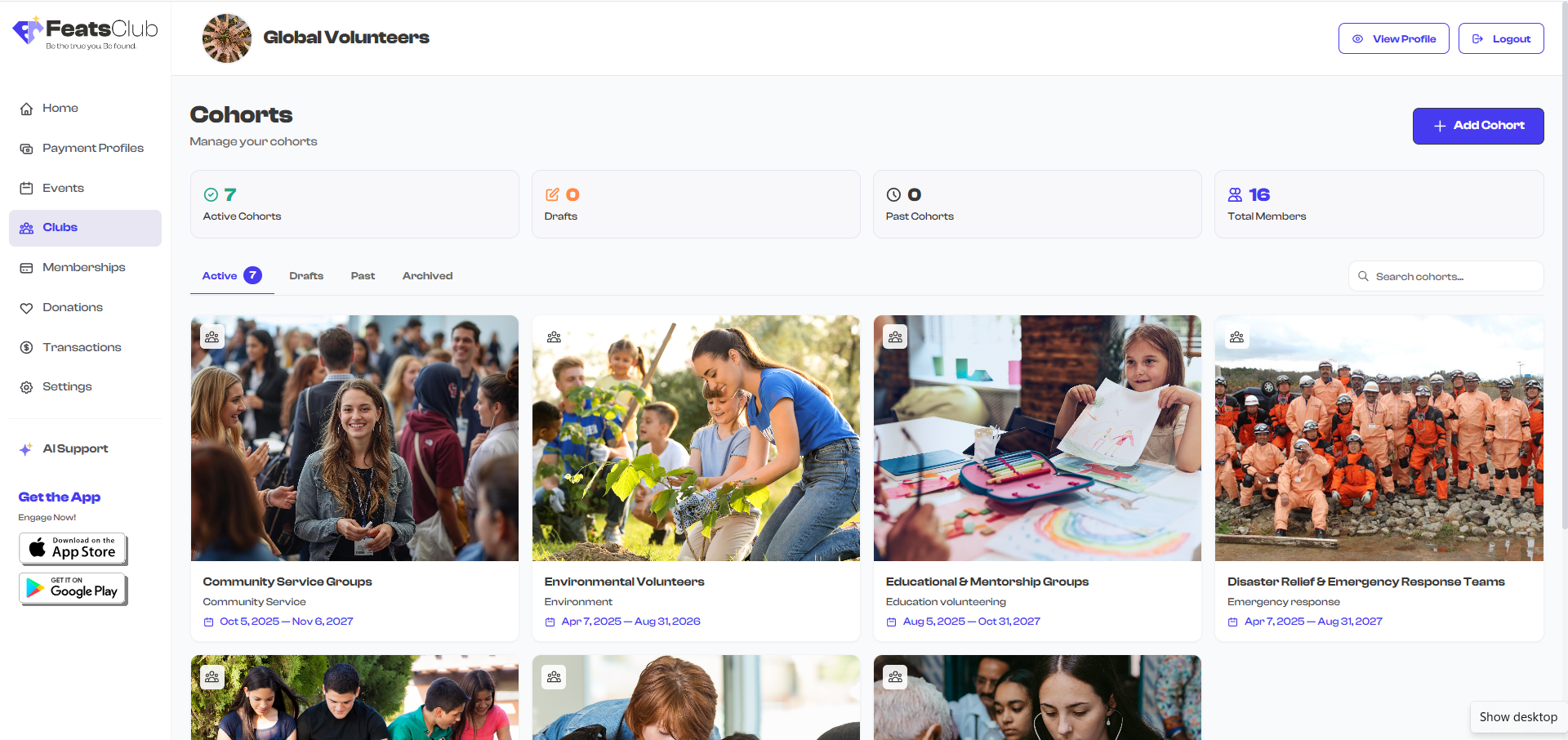
In This Guide
Explore the sections below to learn everything about managing clubs in FeatsClub:
- Club Dashboard -- Navigate and understand your clubs dashboard, including stats, filters, and search
- Creating a Club -- Step-by-step guide to setting up a new club with all its details
- Editing & Managing -- Update club information, change statuses, launch, archive, or delete clubs
- Managing Members -- Add, remove, and organize the participants in your club
- Schedules & Attendance -- Set up recurring sessions and track who shows up
- Tips & Best Practices -- Get the most out of your club management workflow
What's Next?
Head to the Club Dashboard section to learn how to navigate and use your clubs dashboard.