Step 2: Details
Step 2 of 4 -- Additional Details
In this step you add context that helps members understand your club's focus, expectations, and requirements. You will set a category, choose whether to enable group messaging, define rules for members to follow, and list any criteria for joining.
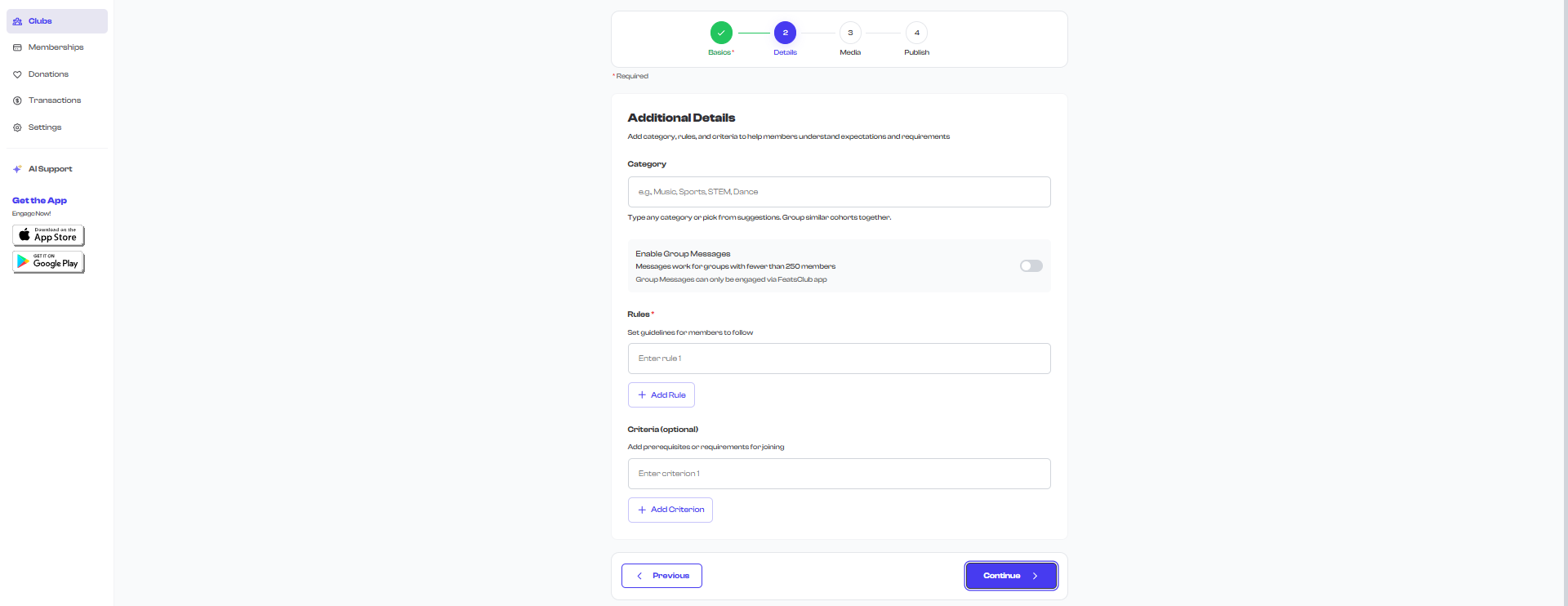
Category
The Category field helps classify your club so members can find programs that match their interests. It also groups similar clubs together on your organization's public profile.
- This field is optional but recommended.
- You can type any category name or select from the suggested options.
- As you type, matching suggestions appear in a dropdown.
Available suggestions:
| Category | Category | Category |
|---|---|---|
| Music | Dance | Sports |
| Arts | STEM | Language |
| Academic | Fitness | Community Service |
| Professional Development | Hobbies | Other |
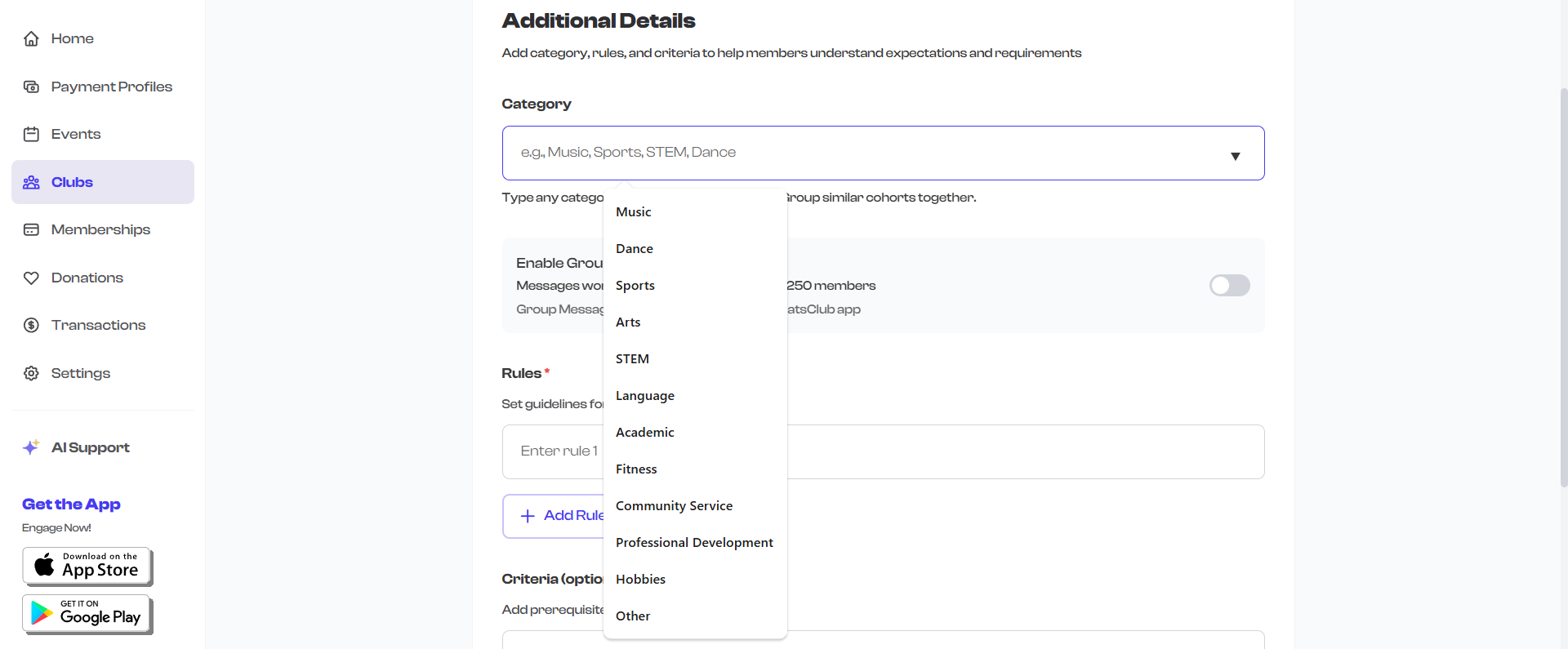
If none of the suggestions fit, type your own custom category. For example, "Martial Arts", "Cooking", or "Photography". The category is free-form text, so you are not limited to the presets.
Enable Group Messages
The Enable Group Messages toggle controls whether club members can send messages to each other within the group.
- Off by default -- group messaging is disabled when you first create a club.
- When enabled, members can communicate with each other through the FeatsClub mobile app.
- Group messaging works for clubs with fewer than 250 members.

Group Messages can only be used through the FeatsClub mobile app. This feature is not available through the web interface. Enable it if your members use the app and would benefit from in-group communication.
When to enable group messaging:
- Small clubs where members need to coordinate (e.g., study groups, project teams)
- Classes where the instructor shares updates or reminders
- Teams that need a central place for announcements
When to leave it disabled:
- Large clubs with 250+ members
- Programs where communication goes through other channels (email, external apps)
- Situations where you prefer one-way announcements only
Rules
Rules are guidelines that members are expected to follow while participating in your club. At least one rule is required to proceed past this step.
- Each rule must be at least 5 characters long.
- You can add up to 20 rules.
- Each rule has a maximum length of 200 characters.
- Click the Add Rule button to add more rule entries.
- Click the trash icon next to a rule to remove it (the first rule cannot be removed, but it can be edited).

Example rules for different club types:
| Club Type | Example Rules |
|---|---|
| Sports team | "Attend at least 80% of practices", "Wear appropriate sports gear to every session", "Notify the coach 24 hours in advance if you cannot attend" |
| Dance class | "Arrive 10 minutes early to warm up", "Wear proper dance shoes -- no street shoes on the studio floor", "Respect the instructor's directions at all times" |
| Music group | "Practice assigned pieces between sessions", "Bring your own instrument and sheet music", "Silence phones during rehearsal" |
| Academic club | "Complete weekly reading assignments before meetings", "Participate actively in discussions", "Maintain academic eligibility" |
Rules are displayed to members on the club detail page before they join. Make sure your rules are clear, fair, and reasonable. Avoid overly strict or vague language.
Validation
The wizard checks the following before you can proceed:
| Rule | Error Message |
|---|---|
| At least one non-empty rule is required | "At least one rule is required" |
| Each rule must be at least 5 characters | "Each rule must be at least 5 characters" |
Criteria
Criteria (also labeled "Prerequisites") are requirements that a potential member must meet before joining the club. Unlike rules (which apply after joining), criteria describe who is eligible to join in the first place.
- Criteria are optional. You can skip this section entirely if your club is open to everyone.
- You can add up to 20 criteria.
- Each criterion has a maximum length of 200 characters.
- Click the Add Criterion button to add more entries.
- Click the trash icon next to a criterion to remove it.
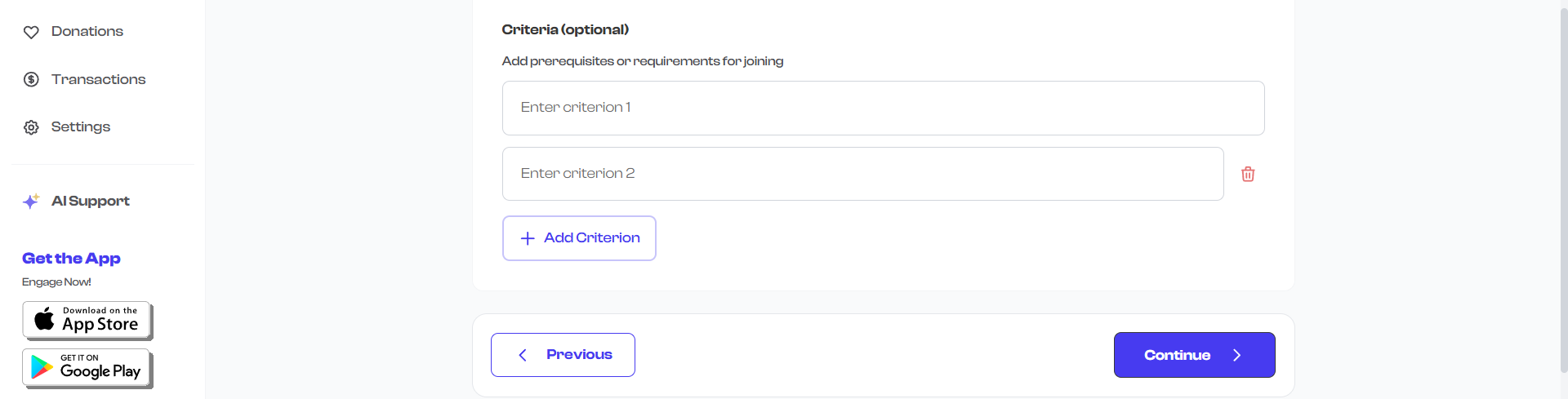
Example criteria for different club types:
| Club Type | Example Criteria |
|---|---|
| Sports team | "Must be 8-12 years old", "Must pass tryout evaluation", "Current physical exam on file" |
| Dance class | "Previous dance experience required", "Must be comfortable performing in front of an audience" |
| Music group | "Ability to read sheet music at an intermediate level", "Own or rent an instrument" |
| STEM club | "Enrolled in grades 6-8", "Basic familiarity with block-based coding (Scratch or similar)" |
| Fitness program | "Doctor's clearance for physical activity", "Must be 16 years or older" |
Criteria help set clear expectations and reduce mismatched enrollments. If your club has specific age requirements, skill prerequisites, or equipment needs, list them here so members can self-assess before joining.
What Happens Next
Once you are satisfied with your details, click Continue to move to Step 3: Media where you can upload photos and videos for your club.
What's Next?
Proceed to Step 3: Media to add photos and videos that showcase your club.