Editing Club Details
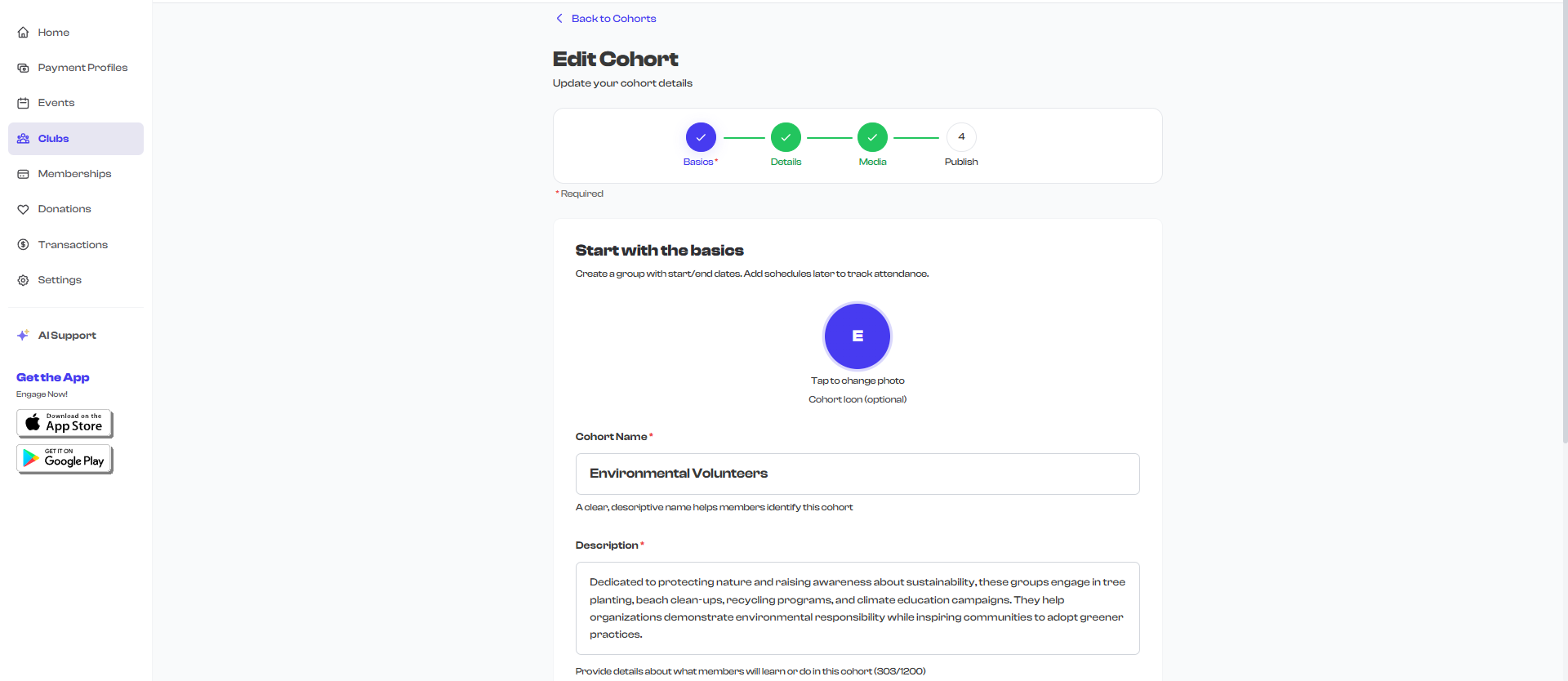
After creating a club, you can return to edit any of its details at any time -- as long as the club is in Draft or Active status. Editing uses the same 4-step wizard you used during creation, so the interface will feel familiar.
How to Start Editing
- Navigate to the Clubs section from your dashboard sidebar.
- Select the club you want to edit to open its detail page.
- Select the Edit button in the header area at the top-right of the page.
- You are taken to the club editing wizard, pre-filled with all existing information.
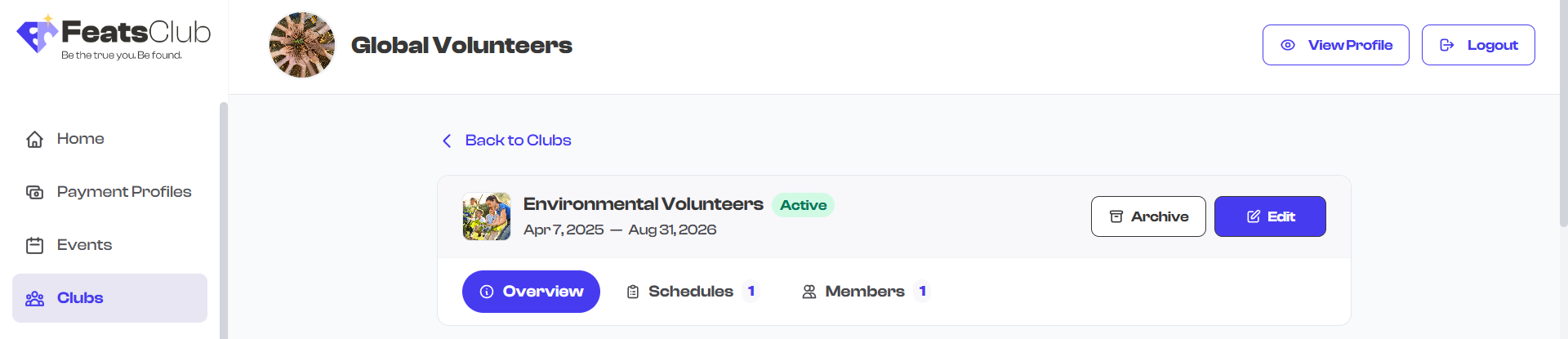
The Edit button is only available for clubs in Draft or Active status. Completed and archived clubs cannot be edited.
What You Can Edit
The editing wizard has the same 4 steps as the creation wizard. All fields can be updated:
Step 1: Basics
| Field | Description |
|---|---|
| Club name | The title displayed on your dashboard and public profile |
| Description | A detailed description of what the club is about |
| Club icon | A circular logo or icon displayed as an overlay on the club's cover image |
| Start date | When the club program begins |
| End date | When the club program ends |
| Enrollment deadline | The last date members can join the club |
Step 2: Details
| Field | Description |
|---|---|
| Category | The type of club (Sports, Music, Dance, Academic, etc.) |
| Level | Skill level -- Beginner, Intermediate, or Advanced |
| Group chat | Toggle to enable or disable group messaging for members |
| Rules | Guidelines and rules that members must follow |
| Criteria | Requirements or prerequisites for joining the club |
Step 3: Media
| Field | Description |
|---|---|
| Photos and videos | Gallery media displayed on the club's page and cards |
You can add new media, remove existing media, or reorder items.
Step 4: Review & Publish
| Field | Description |
|---|---|
| Show in Org Profile | Toggle to pin this club to your organization's public page |
Adding and Managing Officers
Officers are the instructors, coaches, teachers, or leaders associated with your club. They appear in the Leadership & Sponsors section of the club detail page.
Adding an Officer
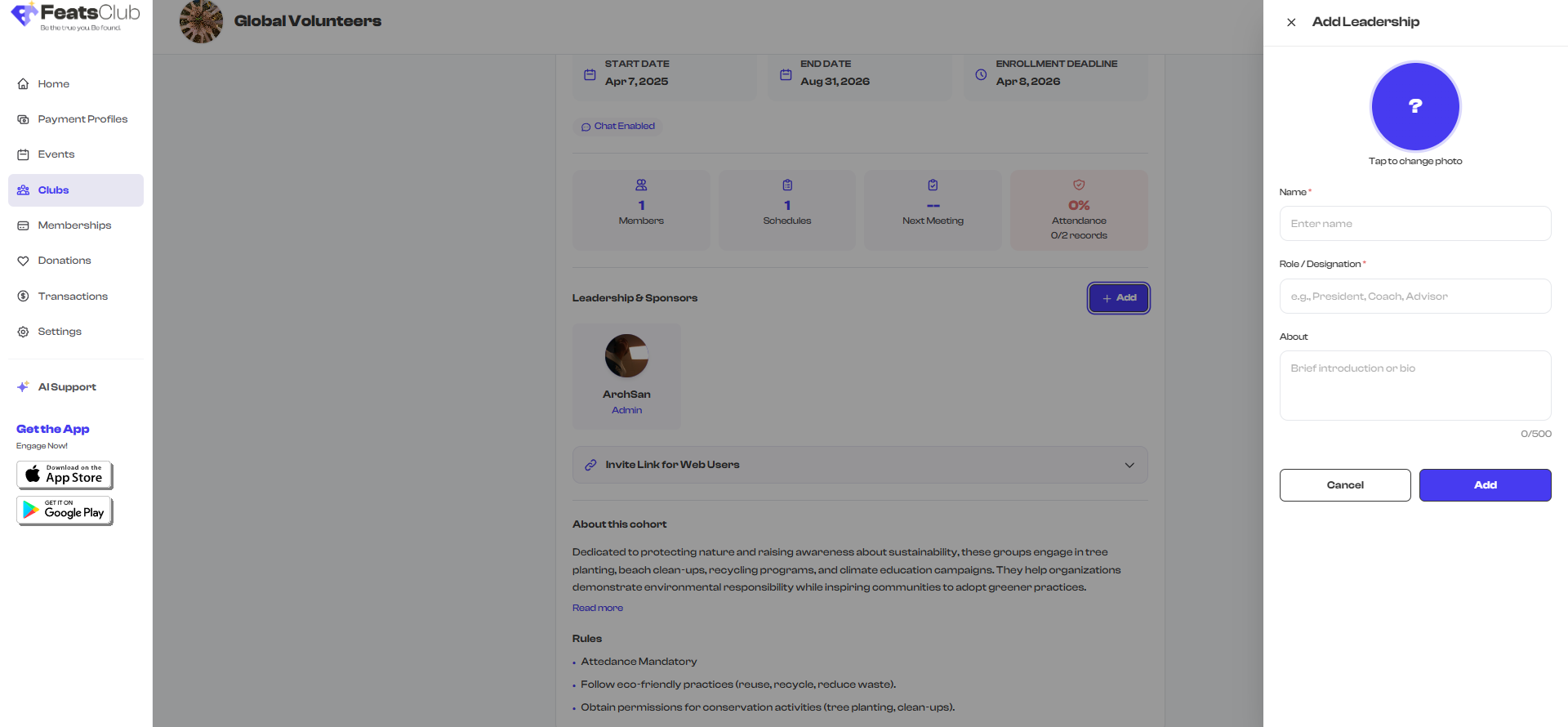
- On the club detail page, scroll to the Leadership & Sponsors section.
- Select the Add button next to the section header.
- A side panel opens where you can enter the officer's information.
- Fill in the officer details and save.
Each officer has the following fields:
| Field | Required | Description |
|---|---|---|
| Name | Yes | The officer's display name |
| Role | No | Their role in the club (e.g., "Head Coach", "Piano Instructor", "Team Captain") |
| About | No | A short bio or description |
| Profile photo | No | A profile picture for the officer |
| No | Contact email address | |
| Phone | No | Contact phone number |
How Officers Are Displayed
Officers appear as profile cards in the Leadership & Sponsors section of your club's detail page. Each card shows the officer's photo (or initials if no photo is provided), their name, and their role.

Adding officers with photos and clear role titles gives your club a professional appearance and helps members know who to contact. Even if an officer does not have a photo, the system displays their initials in a styled avatar.
Examples of Officer Roles
| Club Type | Example Officers |
|---|---|
| Sports team | Head Coach, Assistant Coach, Team Manager |
| Dance class | Lead Instructor, Choreographer, Accompanist |
| Music group | Conductor, Section Leader, Accompanist |
| Academic club | Faculty Advisor, Club President, Mentor |
| Fitness program | Personal Trainer, Nutritionist, Program Director |
Saving Your Changes
After making your edits:
- Navigate through the wizard steps to review your changes.
- On the final step, select Save to apply your updates.
- You are redirected back to the club detail page with the updated information.
Changes are applied immediately. If the club is active, members will see the updated information right away. There is no separate "publish changes" step for edits.
What's Next?
If your club is still in Draft status and you are ready to make it live, learn how to Launch a Draft Club.